WordPress vs. Webflow vs. Framer in 2026: Which CMS Fits Which SME?
Three platforms, three genuinely different bets on how a website should be built and maintained. Choosing between them is not a taste question. It is a question of which constraint binds first in your specific business: the content volume, the editorial team, the integrations, the security exposure, the languages, or the exit cost three years from now.
Here is how they compare in 2026, and which type of SME each one actually suits.
Short answer
WordPress suits SMEs that need depth: large content volumes, complex multilingual setups, business integrations, e-commerce with unusual rules, or full ownership of the stack. The trade-off is a permanent maintenance obligation.
Webflow suits SMEs whose website is a marketing asset with real content operations: a marketing team that publishes, a design system that has to stay consistent, and a need for no server maintenance. The trade-off is platform dependency and pricing that scales with usage.
Framer suits SMEs whose site is primarily a design-led shop window: strong brand pages, a modest blog, fast iteration by a small team. The trade-off is that it hits structural ceilings quickly when content or commerce scale.
None of the three is a bad choice. Each becomes the wrong choice at a predictable point.
What actually changed in 2026
All three platforms shifted materially this year, and most comparison articles still describe the 2025 versions.
WordPress shipped 7.0 "Armstrong" on 20 May 2026. The headline is AI infrastructure in core: a provider-agnostic AI Client, an expanded Abilities API, and a Connectors screen under Settings where an administrator stores provider credentials. Nothing is active until someone configures a provider, so a stock 7.0 install behaves like 6.9 in that respect. The release also raised the minimum PHP version to 7.4, modernised the admin, and added a command palette. Real-time collaboration was pulled before release. For agencies, the meaningful change is not the AI features themselves but that core now defines how plugins are supposed to talk to models, which will gradually standardise a very fragmented plugin landscape.
Webflow restructured its plans on 13 May 2026. The CMS and Business site plans were merged into a single Premium plan at $25/month billed yearly or $39/month monthly, carrying 20,000 CMS items and 40 CMS Collections. Basic moved to $15/month yearly with 300 static pages. A new Team plan was introduced at the top of self-serve. CMS item add-ons were removed because the included allowance now covers them. Existing sites migrate on their next renewal or billable change on or after 29 June 2026, with sites in Freelancer or Agency Workspaces given until 16 November 2026. If you are budgeting from an article that still quotes a $23 CMS tier, your numbers are wrong.
Framer simplified to three paid tiers. The current public line-up is Free, Basic at $10/month, Pro at $30/month, and Enterprise. Editor seats were repriced to $20/month across all plans in May 2026, and a Content Editor seat was introduced at $10/month for people who only need CMS, localisation and on-page editing. A number of widely circulated Framer comparison articles still describe a "Scale" plan that no longer appears on the public pricing page. Verify against Framer's own pricing page before quoting a client.
Content management: the question nobody asks early enough
The most common cause of an unhappy CMS project is not the platform. It is a mismatch between the editing model and the people who actually edit.
WordPress gives every editor a full back office. That is powerful and it is also the reason clients break layouts. The block editor has narrowed the gap, but a WordPress site delivered without editorial guardrails (locked patterns, restricted roles, a documented content model) will drift within a year.
Webflow separates design from content properly. The Editor gives a marketing manager the fields and nothing else, which is why it holds up in organisations where several non-technical people publish weekly. This separation is the single strongest argument for Webflow in a mid-sized company.
Framer's Content Editor seat, introduced in May 2026, closes part of the gap that previously made Framer awkward for client handover. At $10/month a copywriter can edit CMS entries, localisation and on-page text without access to the canvas. Before that, handing a Framer site to a client meant handing them the design tool.
For a white-label build, this matters twice: once for the end client, and once for whoever maintains the site afterwards.
SEO, AEO and how each platform is read by machines
The platform does not rank the site. Structure, content quality and authority do. What the platform controls is whether machines can read the page cleanly and whether you can implement the technical signals you need.
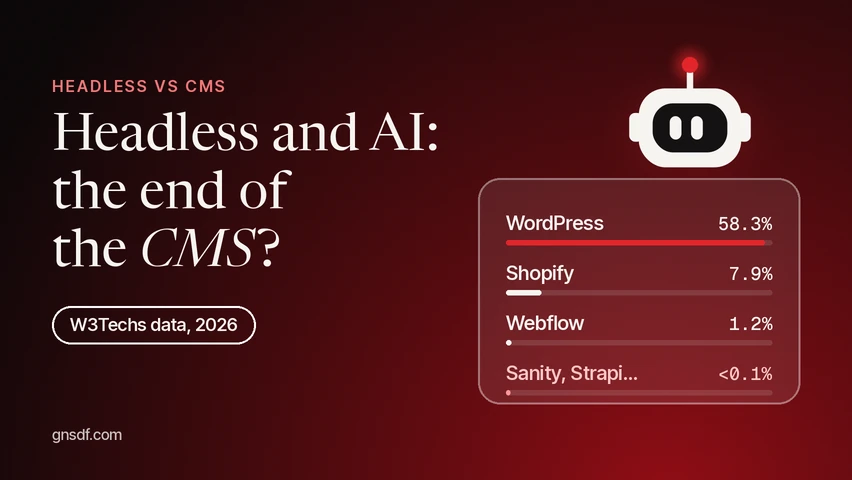
Rendering. Google processes JavaScript with an evergreen version of Chromium, but its own documentation is explicit that server-side rendering or pre-rendering remains preferable, because it makes pages faster for users and crawlers and because not every bot executes JavaScript. That last point has become more consequential as AI answer engines crawl the web with their own agents. All three platforms publish pages that serve meaningful HTML rather than an empty app shell, which puts them on comparable footing here. The real rendering risk in 2026 comes from what gets bolted on afterwards: a JavaScript-injected content block, a third-party widget that renders client-side, a headless front end assembled without SSR. When a headless architecture is worth it, and when a CMS is still the better choice, is covered in Headless and AI: the end of the CMS?
Technical controls. Webflow added native /.well-known/ file hosting to the Premium plan in May 2026 and supports uploading an llms.txt file at the root of a custom domain. Framer ships static file support covering robots.txt, security.txt and llms.txt. WordPress can do all of it, and more, because you control the server.
A necessary caution on llms.txt. It is cheap to ship and it cannot hurt. It is not a ranking or citation mechanism. Webflow's own university material states plainly that llms.txt is a signal rather than a control mechanism, and that it is not a guarantee that AI systems will follow its guidance. Treat it as low-cost insurance, not as an AEO strategy. Anyone selling llms.txt as a route to ChatGPT citations is selling a hypothesis.
Structured data. None of the three generates rich structured data for you beyond basics. On all three, Article, Organization, BreadcrumbList and FAQPage are hand-implemented as JSON-LD. WordPress has the advantage of mature plugins that generate it consistently at scale, which matters at a thousand pages and is irrelevant at thirty.
Platform AEO tooling. Webflow launched AEO tooling during 2026, including AEO agents that scan a site and prioritise fixes, gated to Team and Enterprise. Framer ships a free AEO scanner. Both are useful diagnostics. Neither is a visibility guarantee, and both should be read as vendor tooling rather than as independent measurement.
Multilingual: where the FR, BE, CH and LU reality bites
This is where platform choice stops being abstract for European SMEs.
WordPress remains the most capable option. WPML and Polylang handle asymmetric structures, per-language URL architectures, translation workflows with external agencies, and locale-specific content that is not a translation of anything. Messy, but it does what a multi-market business actually needs.
Webflow Localize is clean and well-integrated, with per-locale content overrides and automatic hreflang handling. It is an add-on on self-serve plans and included in the Team plan, so a genuinely multilingual Webflow site costs materially more than the headline site plan.
Framer supports up to 20 locales at $20 per locale, priced per site. A four-language site therefore adds $80/month to the base plan before seats. Worth knowing: CMS items are counted per locale by several practitioner accounts, so a 1,000-item collection in four languages consumes far more of your allowance than the headline number suggests. Verify this against your own project before committing a client to a plan.
A four-language, four-country SME site is where Framer's economics stop working and where WordPress or Webflow become the serious candidates.
E-commerce
WordPress with WooCommerce remains the default for SMEs that need unusual rules: B2B pricing tiers, quote-based flows, complex VAT and shipping logic, ERP synchronisation. Published market-share figures for e-commerce platforms vary widely between trackers and should be treated as estimates rather than measurements, but WooCommerce's position as the most widely installed e-commerce layer on the web is not seriously disputed.
Webflow Ecommerce is a separate plan family, unaffected by the May 2026 site plan restructuring. It suits catalogue-driven stores with straightforward checkout requirements and a strong design brief. Verify current tiers and transaction fees directly with Webflow before quoting.
Framer has no native commerce layer. Selling through a Framer site means bridging to Shopify through a third-party plugin such as Framer Commerce or Frameship, which syncs the catalogue into Framer's CMS and hands checkout back to Shopify. This works well for small, design-led stores. It adds a third vendor to the dependency chain, and plugin maintenance becomes your problem when Framer's plugin API evolves.
If commerce is the core of the business, the honest shortlist is WooCommerce, Shopify, or a dedicated platform. Not Framer.
Security and maintenance: the number that should change how you scope
Patchstack's State of WordPress Security in 2026 recorded 11,334 new vulnerabilities in the WordPress ecosystem during 2025, a 42% increase year on year. Of those, 91% were found in plugins and only six in WordPress core, all rated low risk. Roughly 46% had no available patch when they were publicly disclosed, and the weighted median time from disclosure to mass exploitation was five hours.
Read that correctly. It is not an argument that WordPress is insecure. Core is demonstrably solid. It is an argument that an unmaintained WordPress site is insecure, and that the risk is proportional to plugin count, not to traffic. Note also that Patchstack sells vulnerability protection, so the framing of its own report carries a commercial interest even where the underlying counts are the best available data.
The operational conclusion for an SME: a WordPress site is not a delivery, it is a subscription to ongoing work. Budget for monitoring, staged updates, plugin reduction and a rollback path, or expect to pay for an incident instead. Regulatory pressure is moving the same way, with the EU Cyber Resilience Act pushing commercial plugin vendors toward mandatory vulnerability disclosure programmes.
Webflow and Framer remove that category of work entirely. You inherit the vendor's security posture instead of managing your own. For an SME without technical staff, this is frequently worth more than any feature comparison.
Total cost of ownership
Headline prices mislead on all three platforms, for different reasons.
WordPress looks cheapest and often is not. Hosting can be genuinely inexpensive. Premium plugins, a page builder licence, a multilingual licence, a security service and a maintenance retainer are what actually make up the bill. The honest comparison is hosting plus licences plus a maintenance budget, not hosting alone.
Webflow stacks four things: the Site plan, the Workspace plan with its seats, add-ons such as Localize, Analyze and Optimize, and bandwidth overages. The May 2026 changes improved value at the Premium tier by removing CMS item add-ons, and raised the floor at Basic. The jump from self-serve to the Team plan is a large one, so it is worth knowing where that cliff sits before a client grows into it.
Framer is the one most often underestimated. Pro at $30/month is per site. Add two editors at $20 each, three locales at $20 each, and the real figure is closer to $130/month for a single site. For an agency carrying ten client sites, each site is its own subscription with no volume pricing. Expansion add-ons let a Pro site reach 700 pages, 40 collections and 40,000 CMS items, but each step is a separate line item.
Platform dependency and exit cost
This is the criterion most often skipped in client conversations and the one clients care most about three years later.
WordPress data and code are portable. A migration is work, but nothing structurally prevents it.
Webflow and Framer produce proprietary output. Webflow offers code export on higher Workspace tiers, which yields static HTML and CSS but not a working CMS. Framer has no direct export path to another CMS. Leaving either platform in practice means a rebuild.
That is not an argument against them. It is an argument for pricing that risk into the decision honestly, and for keeping content in a structure you can export (clean CMS collections, consistent fields) rather than baked into page designs.
Which SME fits which platform
Choose WordPress if you publish a lot and expect to publish more; you need three or more languages with asymmetric content; you need e-commerce with business rules; you need to integrate an ERP, CRM or PIM; regulation or procurement requires you to own the stack; or a migration away from a vendor is a board-level concern. Accept that you are buying an ongoing maintenance commitment, and staff or outsource it deliberately.
Choose Webflow if your website is a marketing asset with a real content operation; several non-technical people publish; design consistency across dozens of pages matters; you want zero server maintenance; and your content volume sits comfortably inside 20,000 CMS items. Accept the dependency and model the cost at the scale you expect in two years, not today.
Choose Framer if the site is primarily a design-led shop window with a modest content footprint; the team is small; speed of iteration matters more than depth; commerce is absent or delegated to Shopify; and you need at most two or three languages. Accept that content growth, heavy localisation or serious commerce will eventually force a platform change.
A practical test. Write down the state of the site in three years: number of pages, number of languages, number of people publishing weekly, whether you sell online, and which business systems it must talk to. Choose the platform that handles that site, not the one that handles today's. The cost of choosing correctly is a longer discussion. The cost of choosing wrongly is a rebuild.
Sources & Further Reading
All sources consulted on 21 September 2026.
- WordPress.org, "WordPress 7.0 Armstrong" release announcement, https://wordpress.org/news/2026/05/armstrong/
- Make WordPress Core, "Introducing the AI Client in WordPress 7.0", https://make.wordpress.org/core/2026/03/24/introducing-the-ai-client-in-wordpress-7-0/
- Webflow, "We're updating our pricing and simplifying our plans at the same time", https://webflow.com/blog/simplified-plans-and-updated-pricing-2026
- Webflow Help Center, "Updated pricing and simplified plans for May 2026", https://help.webflow.com/hc/en-us/articles/51059955082387-Updated-Pricing-and-Simplified-Plans-for-May-2026
- Webflow Help Center, "Upload an llms.txt file to your site", https://help.webflow.com/hc/en-us/articles/43240104183315-Upload-an-llms-txt-file-to-your-site
- Webflow University, "Introduction to llms.txt and AEO", https://university.webflow.com/videos/optimize-your-site-for-llms-with-llms-txt
- Webflow Help Center, "AEO agents overview", https://help.webflow.com/hc/en-us/articles/51704193319955-AEO-agents-overview
- Framer, "Pricing", https://www.framer.com/pricing
- Framer, "SEO", https://www.framer.com/seo/
- Patchstack, "State of WordPress Security in 2026", https://patchstack.com/whitepaper/state-of-wordpress-security-in-2026/
- Google Search Central, "Understand JavaScript SEO basics", https://developers.google.com/search/docs/crawling-indexing/javascript/javascript-seo-basics
- W3Techs, "Usage statistics and market share of WordPress", https://w3techs.com/technologies/details/cm-wordpress
- Search Engine Journal, "WordPress market share declines for six months in a row", https://www.searchenginejournal.com/wordpress-market-share-in-decline/576042/